Quick answer
Controls, Sorting & Stuck Item Fixes
Use the official PC and controller inputs, then follow careful checks when an item will not place or a cleanup run stalls.
Checked August 22, 2026
What is known
The game details this guide can use
PC controls
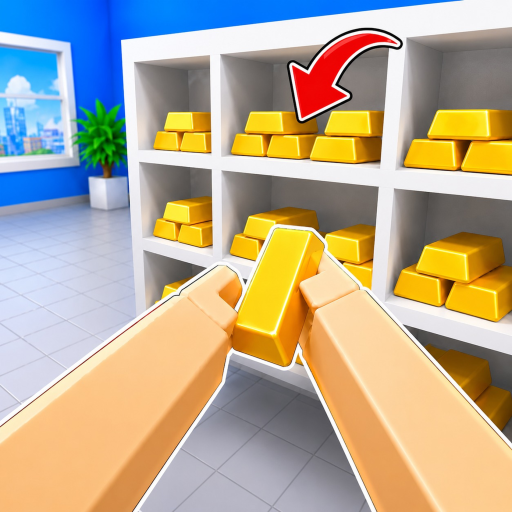
E or click picks up and places. R inspects. F drops. Number keys switch the held item. T unlocks the mouse. G uses Magic Ability.
Controller controls
RT picks up and places. RS inspects. LT drops. Y opens upgrades. The official description does not list controller equivalents for item switching, mouse unlock, or Magic Ability.
Sorting boundary
Cleaning and sorting thousands of civil treasures is the official loop. A complete catalogue of item names, rooms, floors, and placement destinations was not collected.
Why inspect first
Inspect is an official action on both PC and controller. Use it before moving an unfamiliar item, while avoiding assumptions about information the game may or may not display.
Walkthrough
Use this order in your next run
- 1
Inspect an unfamiliar item with R on PC or RS on controller before carrying it away.
- 2
Confirm the active held-item slot. On PC, use number keys to switch items.
- 3
Move to the intended visible surface and use E/click or RT to place the item.
- 4
If placement fails, retry once after confirming the item, then use F or LT to drop and reacquire it.
- 5
Review the current shelf or task group for remaining work before moving to another visible area.
Common mistakes
Avoid these preventable run problems
Carrying an uninspected item away
Use R or RS first so the next placement attempt begins with the official inspect action.
Guessing a controller button
When the creator description does not list an equivalent, follow the live UI rather than borrowing an input from another game.
If the run stalls
Checks that do not guess a hidden mechanic
Item will not place
Inspect, verify the active slot, retry the intended visible surface, then drop and reacquire. This guide does not invent a hidden destination.
Mouse is locked on PC
Press T, the official input listed for unlocking the mouse.
Controller switch input is unclear
Use the input shown in your current game UI. The creator description does not list a controller item-switch button.
FAQ
Common questions
How do I pick up or place an item on PC?
Use E or click.
How do I inspect and drop on PC?
Use R to inspect and F to drop.
How do I switch items on PC?
Use the number keys.
How do I open upgrades on controller?
Use Y.
Next pages